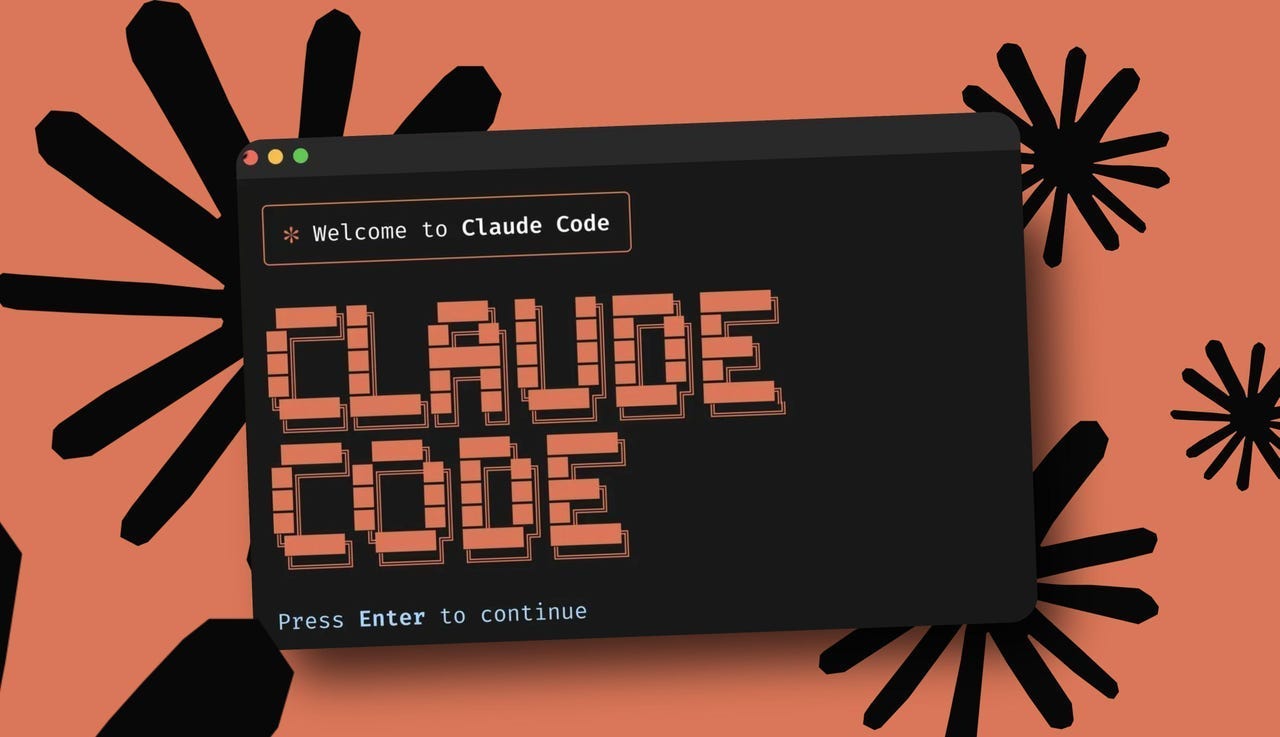
Panduan Lengkap Cara Install Claude Code - AI Programming Assistant dari Anthropic
Claude Code adalah AI programming assistant agentic dari Anthropic yang berjalan di terminal. Berbeda dengan traditional code assistants, Claude Code dapat autonomous planning, reasoning, dan execution dari complex programming tasks.
Ini adalah command-line tool yang memberikan Claude capabilities langsung di terminal Anda - no GUI required.
Dalam panduan komprehensif ini, kita akan membahas:
- Apa itu Claude Code dan apa yang makes it unique
- System requirements dan supported platforms
- Installation methods (npm, binary install, Homebrew)
- Setup API key dan konfigurasi
- Core features dan usage examples
- Advanced features dan best practices
Apa Itu Claude Code?
Claude Code adalah:
- Agentic AI Assistant - Bukan chatbot biasa, tapi agent yang bisa plan dan execute multi-step tasks
- Terminal-Native - Berjalan di command line, no GUI needed
- Anthropic-Powered - Menggunakan Claude models (Claude 3.5 Sonnet, Opus, dll)
- Multi-Language - Supports Python, JavaScript, TypeScript, Go, Rust, C++, dan banyak lagi
- Codebase-Aware - Understands entire project context, bukan just active file
- Thinking Mode - Deep reasoning capabilities untuk complex problems
- Universal Agent - Bukan hanya untuk coding, tapi file operations, system administration, dll
System Requirements
Operating Systems:
- macOS: 13.0+ (Ventura atau lebih baru)
- Windows: 10 1809+ atau Windows Server 2019+
- Linux: Ubuntu 20.04+, Debian 10+, atau distros modern lainnya
- WSL: WSL2 dengan Windows 10 1809+ atau lebih baru
Hardware:
- RAM: 4 GB minimum, 8 GB recommended untuk large codebases
- Storage: 500 MB free space untuk installation
- Processor: x86_64 architecture (ARM support in development)
Optional:
- Git (untuk version control integration)
- Python 3.8+ (untuk Python development)
- Node.js 16+ (untuk JavaScript/TypeScript)
- Docker (untuk container development)
Metode Instalasi
Method 1: Native Install (Recommended)
Install Script (macOS, Linux, WSL):
curl -fsSL https://claude.ai/install.sh | bashCommand ini akan:
- Detect OS dan architecture
- Download latest version
- Install ke appropriate location
- Add to PATH secara otomatis
Install di Windows:
Download dan run installer dari claude.ai/download
Method 2: Using npm
Install via npm:
npm install -g @anthropic-ai/claude-codeInstall via yarn:
yarn global add @anthropic-ai/claude-codeVerify installation:
claude --versionAtau:
claude --helpMethod 3: Using Homebrew (macOS)
Install Homebrew (jika belum):
/bin/bash -c "$(curl -fsSL https://raw.githubusercontent.com/Homebrew/install/HEAD/install.sh)"Tap Claude repository:
brew tap anthropic/claude-codeInstall:
brew install claude-codeUpgrade:
brew upgrade claude-codeMethod 4: Using Winget (Windows)
winget install Anthropic.ClaudeCodeSetup dan Konfigurasi
Step 1: Initial Launch
Run Claude Code pertama kali:
claudeAtau:
claude chatAnda akan diminta untuk:
- Create atau Sign In ke Anthropic Account
- Verifikasi email (untuk new accounts)
- Accept Terms of Service
Step 2: Configure API Key
- API key automatically configured jika signed in
- Atau manually set environment variable
- Atau create
.envfile
Manual environment variable:
export ANTHROPIC_API_KEY="your-api-key-here"Using .env file:
ANTHROPIC_API_KEY=sk-ant-...Step 3: Select Model
Pilih default model:
- Claude 3.5 Sonnet - Balanced speed dan quality (recommended untuk daily use)
- Claude 3 Opus - Maximum reasoning power (untuk complex tasks)
- Claude 3 Haiku - Fastest (untuk simple tasks)
Set default model:
claude config set model claude-3-5-sonnetCore Features dan Usage
1. Interactive Chat Mode
Start chat session:
claudeKemudian gunakan natural language prompts:
>> Help me understand this codebase
>>> Write a function to parse JSON file
>>> Explain how authentication works in this project
>>> Create unit tests untuk UserController
2. Command-Line Flags
Common flags:
--model- Specify model (override default)claude --model claude-3-opus "solve this complex problem"--thinking- Enable thinking mode untuk deep reasoningclaude --thinking "analyze architecture trade-offs"--output- Specify output formatclaude --output markdown "generate documentation"--file- Operate pada specific fileclaude --file src/main.py "explain this function"
3. File Operations
Read dan analyze file:
claude "explain src/auth.js"Edit file:
claude "add error handling ke src/utils.js"Create new file:
claude "create a Python script untuk scrape website"4. Multi-Step Tasks
Karena Claude Code adalah agentic, ia dapat plan dan execute multi-step tasks:
claude "add logging ke semua API calls di project ini, create tests, dan update documentation"Claude akan:
- Identify semua API calls
- Add logging statements
- Create/update tests
- Update documentation
- Show proposed changes
- Wait untuk approval
5. Thinking Mode
Enable deep reasoning:
claude --thinking "design REST API untuk task management system"Thinking mode membuat Claude:
- Show reasoning process
- Consider multiple approaches
- Evaluate trade-offs
- Explain decisions
6. Project Context Awareness
Claude Code scans dan understands:
- Entire codebase structure
- Dependencies dan relationships
- Coding conventions
- Architecture patterns
Contoh prompt:
claude "where is user authentication handled dan what's the flow?"Claude akan:
- Identify relevant files
- Navigate ke correct locations
- Explain authentication flow dengan context
- Cross-reference related files
Advanced Features
1. Shell Integration
Claude Code dapat execute shell commands (dengan permission):
claude "list all Python files dan show their line counts"Claude mungkin akan:
- Suggest command:
find . -name "*.py" | xargs wc -l - Ask untuk permission untuk execute
- Show results
2. Git Integration
Git operations yang didukung:
claude "explain commit diff"claude "generate commit message"claude "resolve merge conflict"claude "create release notes"
3. Documentation Generation
claude "generate JSDoc untuk src/api/"claude "create README.md untuk project ini"claude "write API documentation"
4. Test Generation
claude "create unit tests untuk Calculator class"claude "generate integration tests untuk auth API"claude "add edge case tests"
5. Code Review
claude "review pull request #42"claude "check untuk security vulnerabilities di src/auth.js"claude "suggest improvements untuk performance"
Configuration File
Config location:
- macOS/Linux:
~/.config/claude-code/config.json - Windows:
%APPDATA%\claude-code\config.json
Sample configuration:
{
  "model": "claude-3-5-sonnet",
  "thinkingMode": false,
  "maxTokens": 4096,
  "temperature": 0.7,
  "theme": "dark",
  "defaultDirectory": "/home/user/projects",
  "allowedPaths": [
    "/home/user/projects",
    "/home/user/code"
  ],
  "gitIntegration": true,
  "autoContext": true
}
Tips untuk Productive Usage
1. Provide Context
- Set working directory ke project root:
cd /path/to/project claude "help me understand this codebase" - Explain project structure upfront
- Describe goals dan constraints
2. Be Specific dengan Requests
- Bad: "fix this code"
- Good: "refactor function ini untuk use async/await, add proper error handling, dan include input validation"
- Better: "refactor processPayment function di src/payments.js untuk use try-catch, validate amount parameter, handle network errors gracefully, dan add logging"
3. Iterate dan Refine
- Don't accept first answer blindly
- Ask: "are there alternative approaches?"
- Request: "explain your reasoning"
- Ask: "how would you optimize this further?"
4. Use Thinking Mode untuk Complex Tasks
- Architecture decisions
- Algorithm design
- Trade-off analysis
- Performance optimization
5. Leverage Auto-Context
- Let Claude scan entire codebase
- Ask questions tentang architecture
- Request cross-file refactoring
- Generate comprehensive documentation
Troubleshooting
Issue: Installation Fails
Solution:
- Check OS version meets requirements
- Verify internet connection
- Try alternative installation method
- Check available disk space
- Disable VPN atau proxy temporarily
Issue: "claude: command not found"
Solution:
- Verify installation:
which claude(macOS/Linux) atauwhere claude(Windows) - Check PATH environment variable
- Restart terminal
- Reinstall jika perlu
Issue: API Errors
Solution:
- Verify API key:
echo $ANTHROPIC_API_KEY - Check API key validity di console.anthropic.com
- Verify sufficient credits/quota
- Check service status: status.anthropic.com
Issue: Slow Responses
Solution:
- Check network latency ke Anthropic servers
- Switch ke faster model (Claude 3 Haiku)
- Disable thinking mode untuk simple tasks
- Reduce context window
Issue: Context Not Loading
Solution:
- Ensure you're in project directory
- Check .gitignore isn't excluding important files
- Verify auto-context is enabled
- Manually specify directory:
claude --dir /path/to/project
Best Practices
Security:
- Never commit API keys ke version control
- Use environment variables untuk sensitive data
- Review AI-generated code untuk security issues
- Test thoroughly sebelum production deployment
Code Quality:
- Always review generated code
- Understand reasoning behind suggestions
- Maintain consistent coding standards
- Add comprehensive tests
- Document complex logic
Productivity:
- Use aliases untuk common tasks
- Create custom prompts untuk repetitive work
- Leverage thinking mode untuk complex problems
- Combine dengan traditional tools
Learning:
- Study explanations untuk improve skills
- Ask "why" untuk understand reasoning
- Explore alternative approaches
- Learn from Claude's suggestions
Claude Code vs Claude AI Chat
| Feature | Claude Code | Claude AI (Chat) |
|---|---|---|
| Interface | Terminal/command-line | Web browser |
| Use Case | Programming, file operations, CLI tasks | General conversations, writing, analysis |
| Context | Codebase-aware, can read files | Upload files, text-based input |
| Capabilities | Execute commands, modify files, run tests | Chat only, no direct system access |
| Pricing | Pay-per-use (API) | Free tier + subscription |
Conclusion
Claude Code represents evolution dalam AI programming assistants. Dengan agentic capabilities, terminal-native interface, dan deep codebase understanding, ini adalah tool yang powerful untuk modern developers.
Key advantages:
- Agentic - Can plan dan execute multi-step tasks autonomously
- Context-Aware - Understands entire codebase, not just snippets
- Versatile - Programming, file ops, documentation, testing, dan lebih
- Flexible - Multiple installation methods, cross-platform
Untuk developers yang want AI assistant yang:<\/p>
- Lives di terminal where work happens
- Can understand complex codebase context
- Autonomously executes multi-step tasks
- Provides reasoning, not just completions
Claude Code adalah game-changer yang worth exploring. Start dengan free tier, experiment dengan features, dan experience future of AI-assisted development!
Need help implementing Claude Code atau AI tools dalam development workflow?
TANTRA spesialis dalam cutting-edge development tools dan AI integration. Kami help teams adopt modern workflows untuk boost productivity dan quality.
Hubungi kami untuk konsultasi gratis.